
Course Overview
Bản dịch tiếng việt:
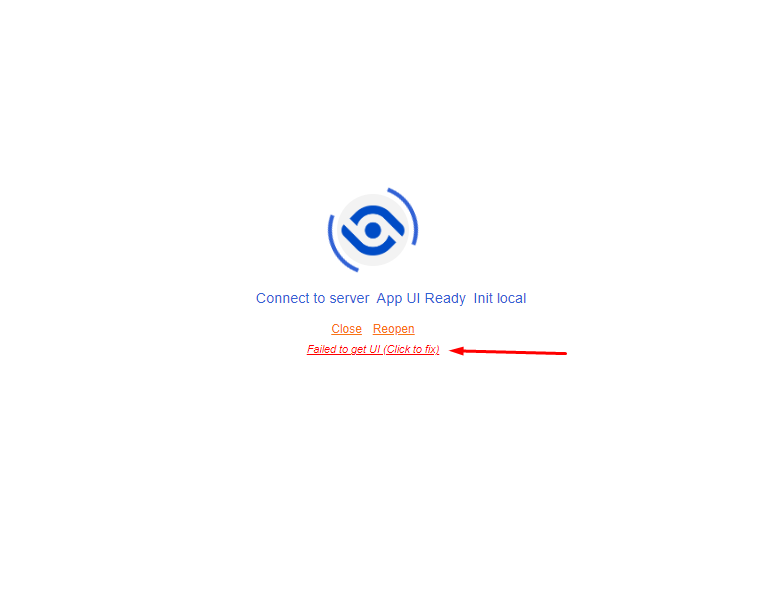
Lỗi 1: Failed to get UI (Lỗi mạng hoặc giao diện chưa được tải thành công)
Cách khắc phục:
- Cách 1: Kiểm tra lại kết nối mạng và khởi động lại ứng dụng
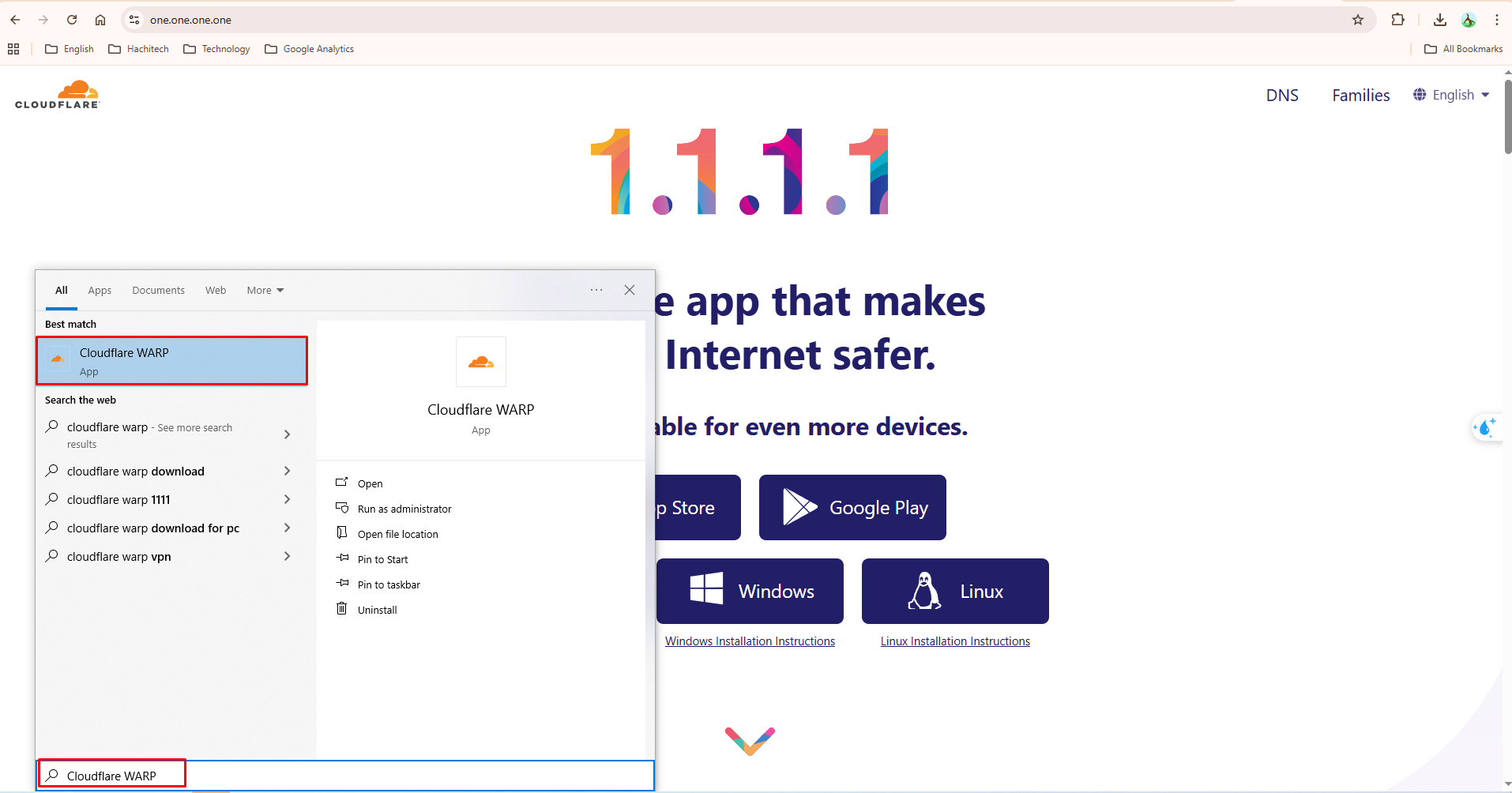
- Cách 2: Sử dụng ứng dụng 1.1.1.1 để mở kết nối internet
- Truy cập trang web https://one.one.one.one/ và tải xuống ứng dụng
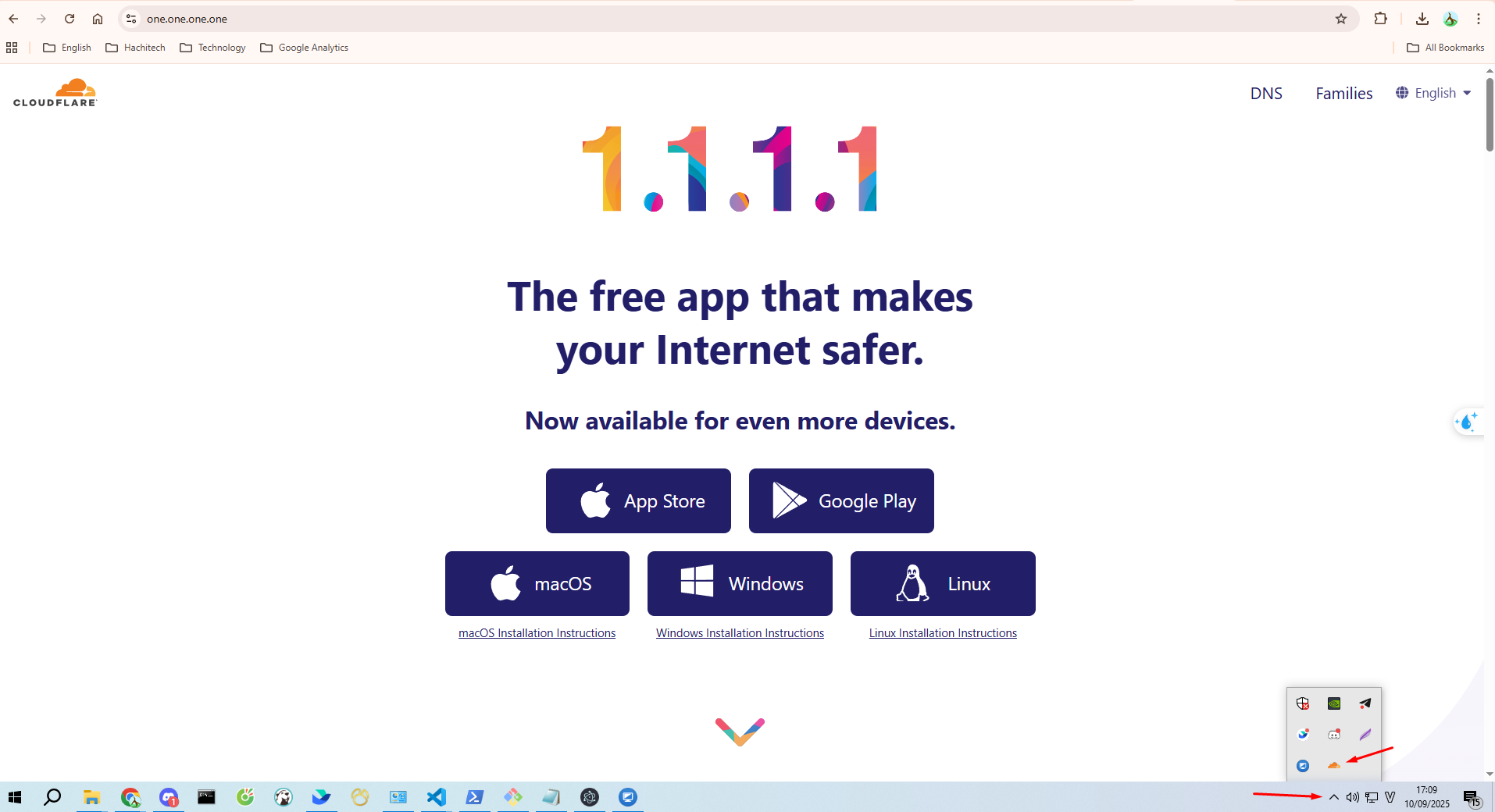
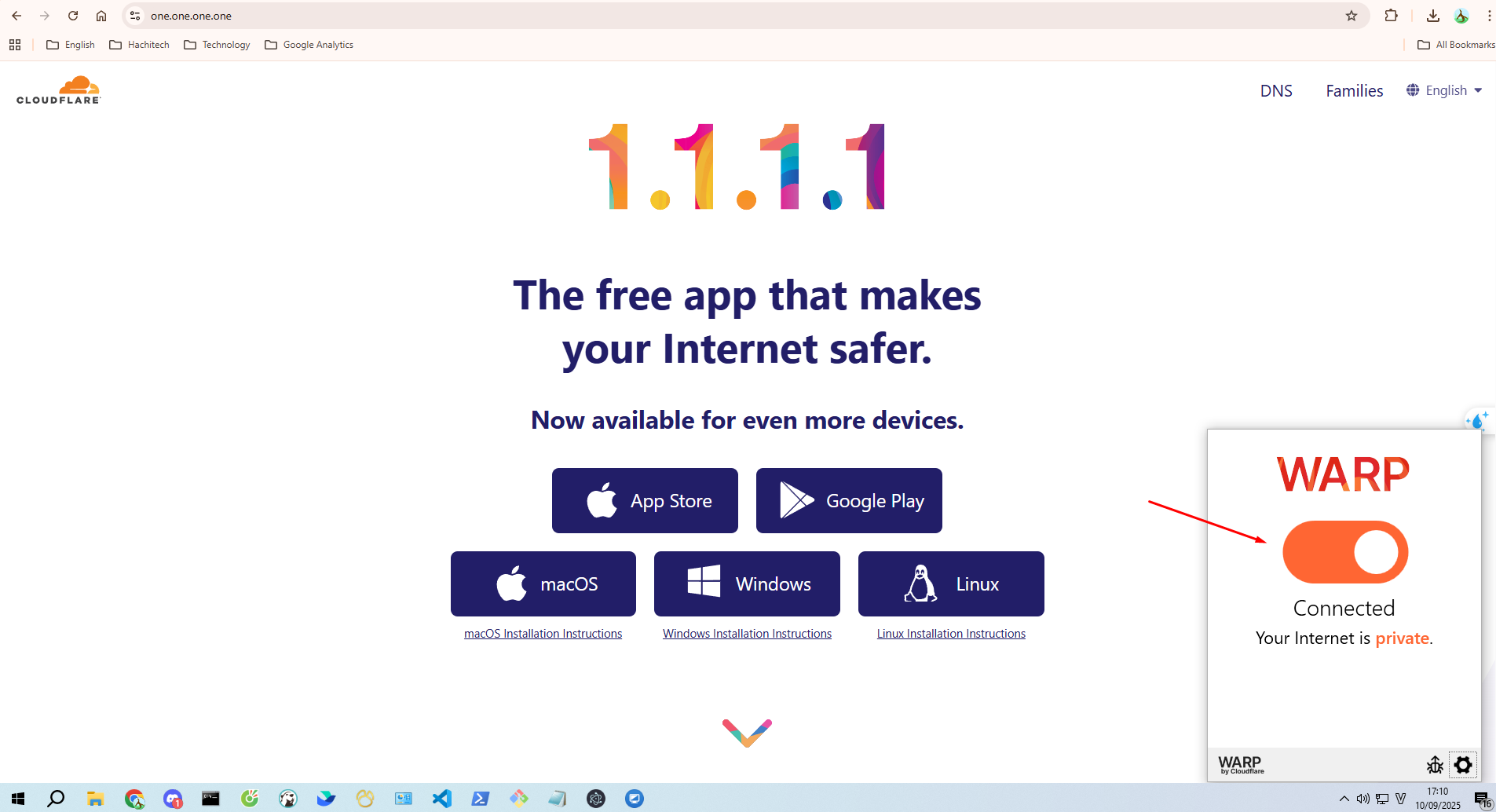
- Sau khi tải xong hãy mở ứng dụng
- Sau đó mở lại ứng dụng hidemium
Lỗi 2: Failed to init server: No port assigned (Lỗi đã bị chiếm hết port)
Cách khắc phục:
- Kiểm tra lại các port trên máy đảm rẳng PORT từ 2222 tới 39999 rảnh để có thể sử dụng
Lỗi chung: (Thuộc các trường hợp chưa xác định được lỗi)
Cách khắc phục 1:
- Bước 1: Các bạn đóng app lại, nếu không đóng được app hãy dùng Task Manager để đóng app.
- Bước 2: Các bạn thực hiện xóa các file cache:
- Tại máy Win, các bạn mở folder theo đường dẫn sau: C:\Users\{tên user}\AppData\Roaming\Hidemium_4

-
- Còn tại máy MAC, các bản mở theo đường dẫn sau: /Users/{tên máy}/Library/Application Support/Hidemium_4

- Bước 3: Sau khi xóa 2 folder này xong, các bạn hãy mở lại app.
English translation version:
Error 1: Failed to get UI (Network error or interface not loaded successfully)
How to fix:
- Method 1: Check your internet connection and restart the application.
- Method 2: Use the 1.1.1.1 app to establish an internet connection.
- Go to https://one.one.one.one/ and download the app.
- After downloading, open the app “Cloudflare WARP”
- Then reopen the Hidemium application.
Error 2: Failed to init server: No port assigned (All ports are occupied)
How to fix:
- Check the ports on your machine and make sure that the ports from 2222 to 39999 are available for use.
General Error: (Cases where the cause cannot be identified)
How to fix (Method 1):
- Step 1: Close the app. If you cannot close it normally, use Task Manager to force close the app.
- Step 2: Clear the cache files:
- On Windows: Open the folder at C:\Users\{your_username}\AppData\Roaming\Hidemium_4
-
- On Mac: Open the folder at /Users/{your_device_name}/Library/Application Support/Hidemium_4
- Step 3: After deleting these two folders, reopen the app.
