Lesson 12: Proxy Manager
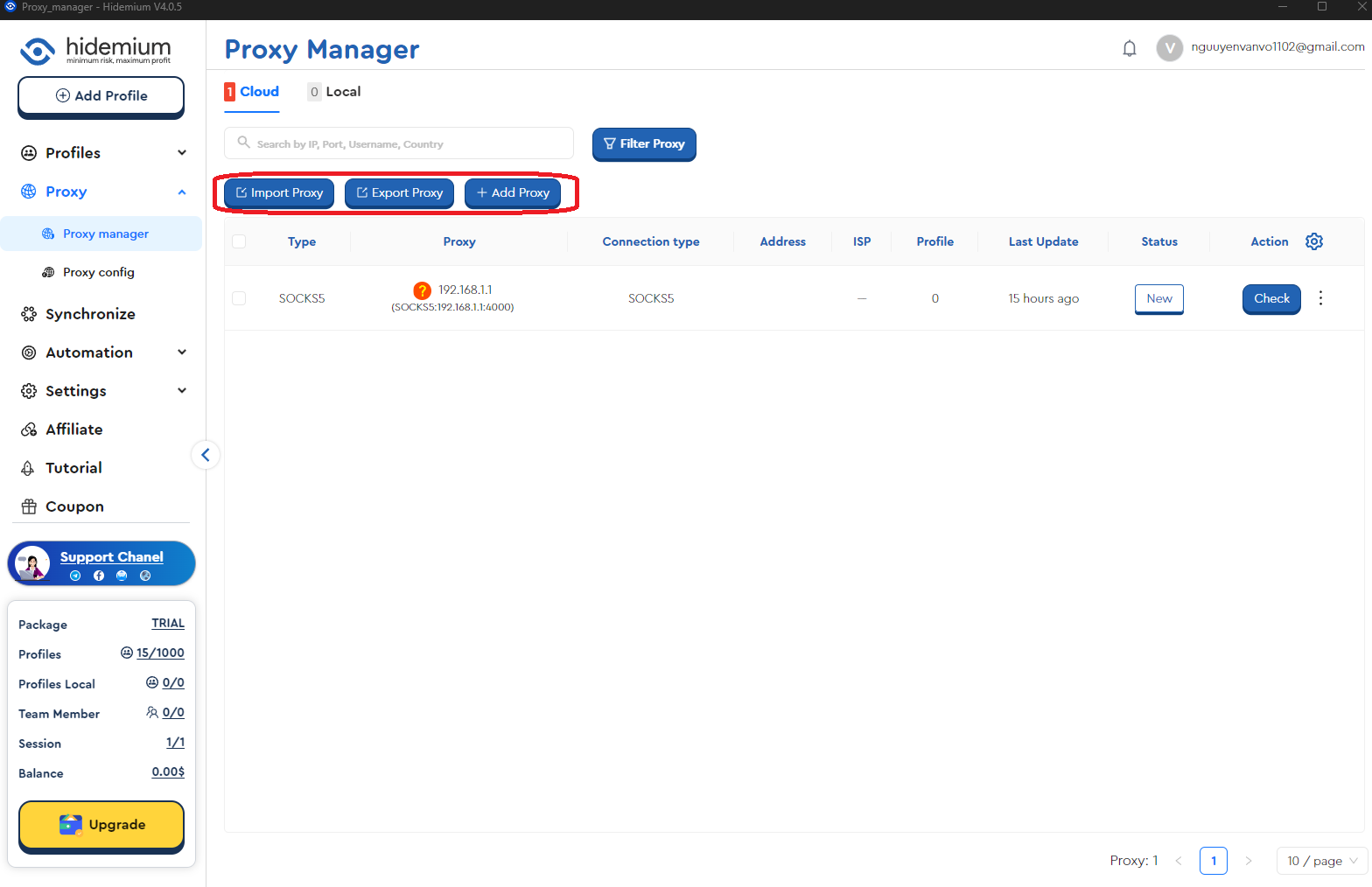
In this article, we’ll explore Proxy Manager, a tool that makes managing and controlling proxies easy. With features such as Filter Proxy, Import Proxy, Export Proxy, and Add Proxy, Proxy Manager provides a quick and convenient solution for proxy management.
I. Proxy Manager Features
Within Proxy Manager, you can perform the following key functions:
- Filter Proxy: Filter proxies based on various criteria.
- Import Proxy: Import proxies from different sources.
- Export Proxy: Export your proxy list.
- Add Proxy: Add new proxies to the system.
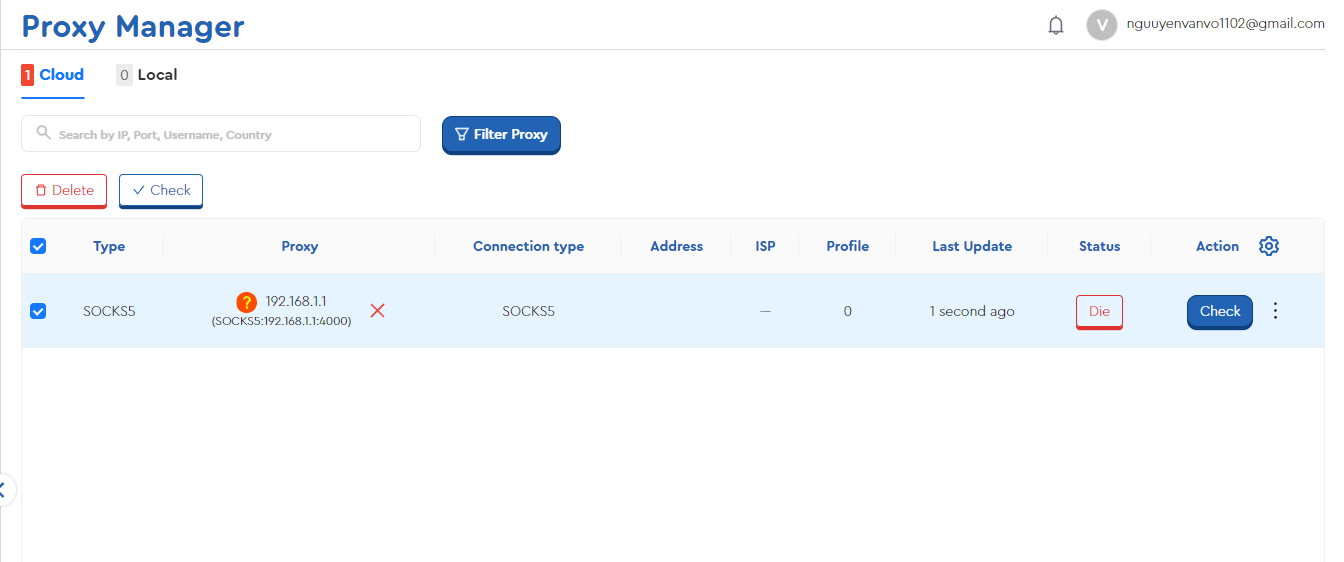
You can also check whether a proxy is still active and remove proxies by selecting them directly.
II. Detailed Instructions
1. Import Proxy
To import proxies, follow these steps:
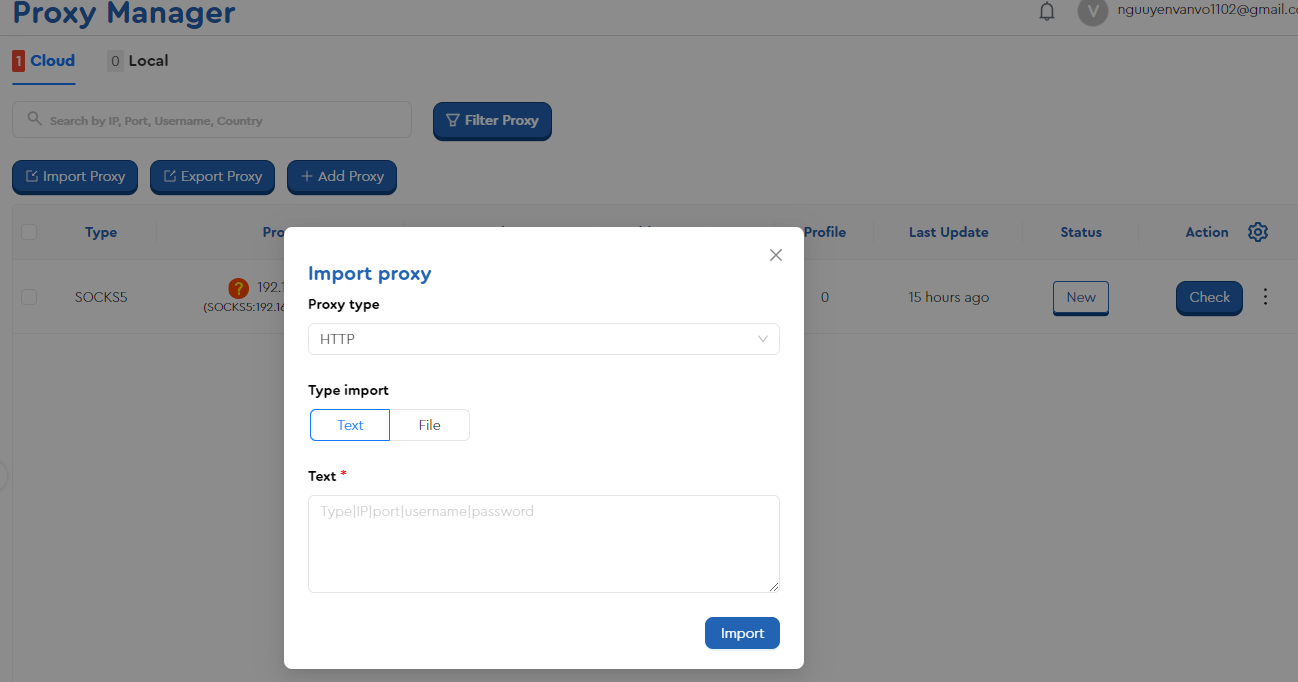
- Click the Import Proxy button: A pop-up window will appear with the following options:
- Proxy Type: Select the type of proxy you are using, such as HTTP, SOCKS4, SOCKS5, or SSH.
- Import Type: Choose how you want to import proxies: TEXT or FILE.
- TEXT Format: Enter proxies in the format:
Type|IP|Port|Username|Password
Example:SOCKS5|192.168.1.1|8080|admin|admin1 - FILE Format: Prepare a
.txtfile with proxies in the same format as above. Then, click Choose File to upload the saved file. - Click Import: Add the proxies to the system.
2. Export Proxy
The Export Proxy feature allows you to export a list of proxies from Proxy Manager into a .txt file for storage. Simply select the proxies you wish to export and click Export to download the file to your computer.
3. Add Proxy
You can manually add a proxy by entering the information in the pop-up window. For example:
SOCKS5|192.168.1.1|8080
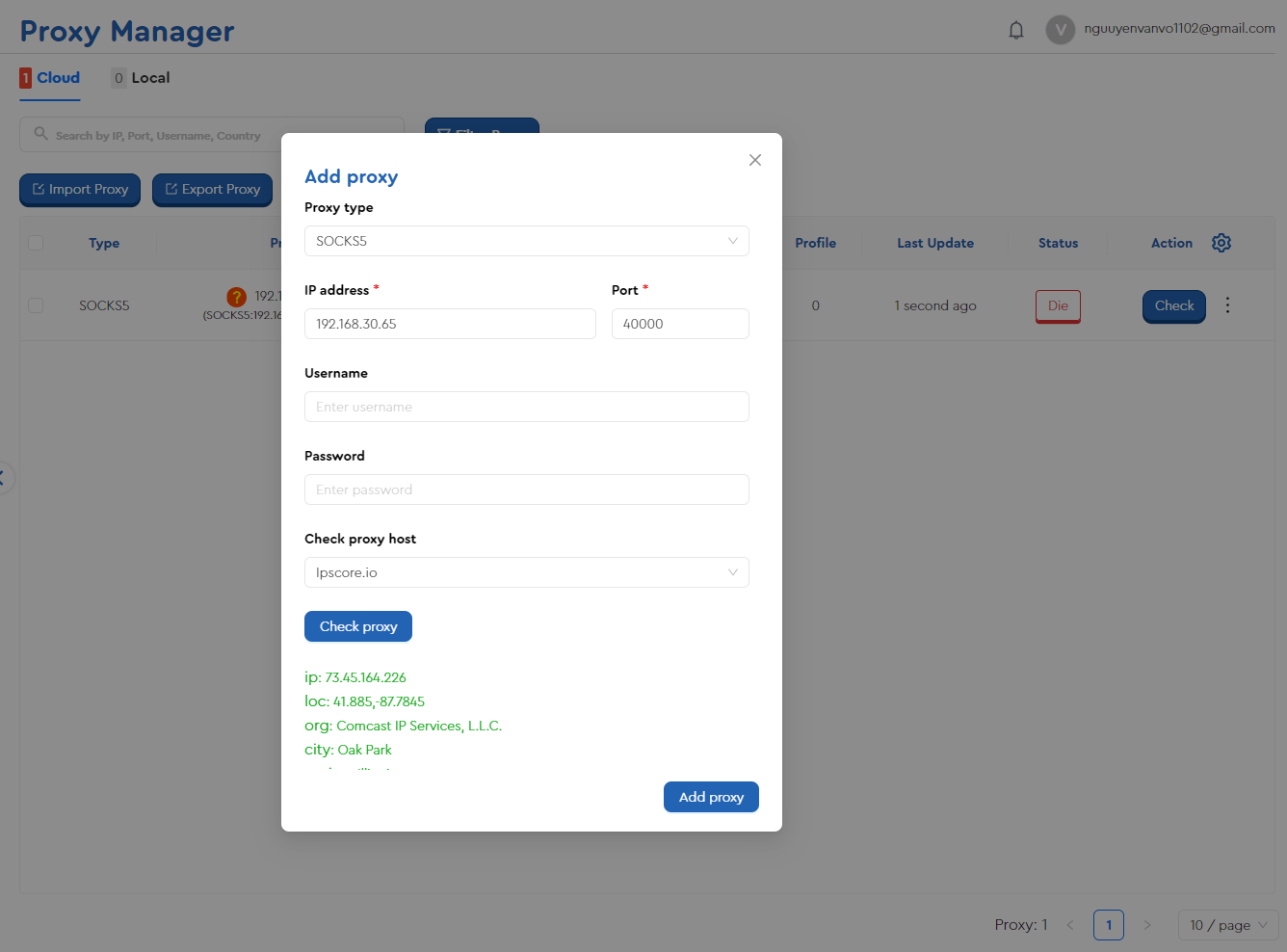
After entering the details, click Check Proxy to verify if the proxy is active and to retrieve related information.
III. Proxy Config
The video tutorial below will guide you through using the Proxy Config feature to easily add rotating proxies and API proxies to Hidemium.