Lesson 11: Recycle
Recycle is an essential feature in data management systems, allowing you to temporarily store Profiles that have been deleted. If you accidentally delete an important profile, you can restore it within a set time frame. This tool is valuable in preventing data loss due to unintentional deletion.
How Recycle Works
- Temporary Storage for 2 Days
Once a profile is deleted, it moves to the Recycle bin. You can recover mistakenly deleted profiles within 2 days from the time of deletion. If not restored within this period, the profile will be permanently deleted from the system.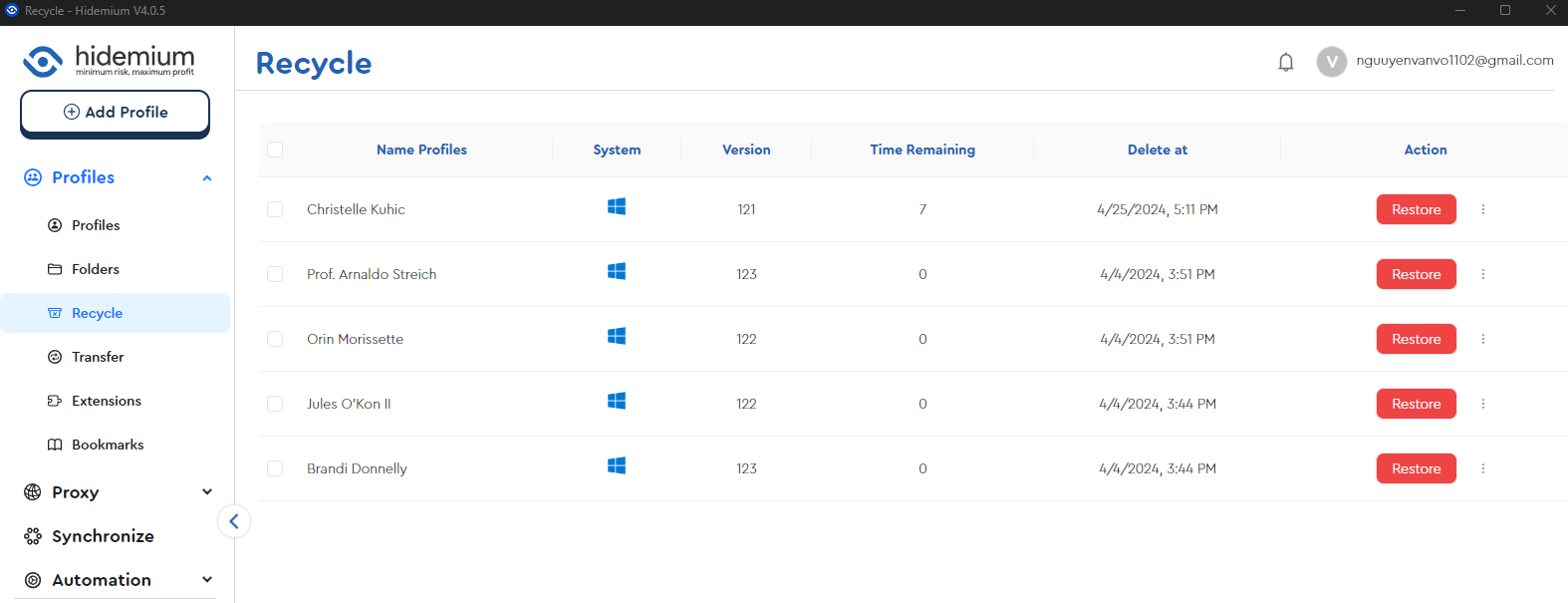
2. Options to Permanently Delete or Restore
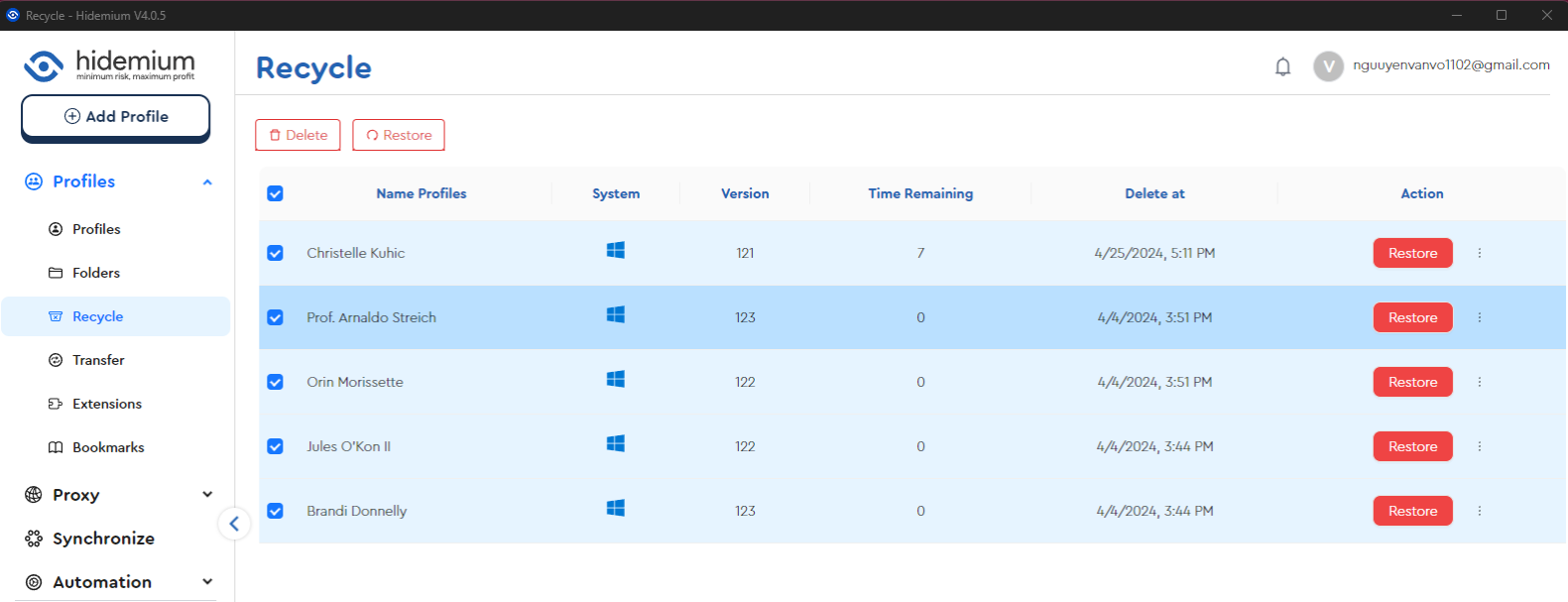
Inside the Recycle section, you have two options:
- Restore: Recover the deleted profile and return it to its original active state.
- Delete: Permanently remove the profile from the system with no possibility of recovery.
How to Use Recycle
To manage deleted profiles, access the Recycle section. Here, you will see a list of profiles that have been deleted within the last 2 days. Simply select the profile you wish to restore and click the Restore button, or click Delete if you want to permanently remove it.