Lesson 10: Bookmark
In this article, we will dive into how to use bookmarks, an essential feature in web browsers. Bookmarks allow users to mark websites or specific locations within documents for easy access later, eliminating the need to remember every URL. This is a helpful tool that enables you to manage and organize your favorite websites or important documents efficiently.
How to Save Bookmarks
There are three main ways to save information into bookmarks, depending on how you want to manage and organize them:
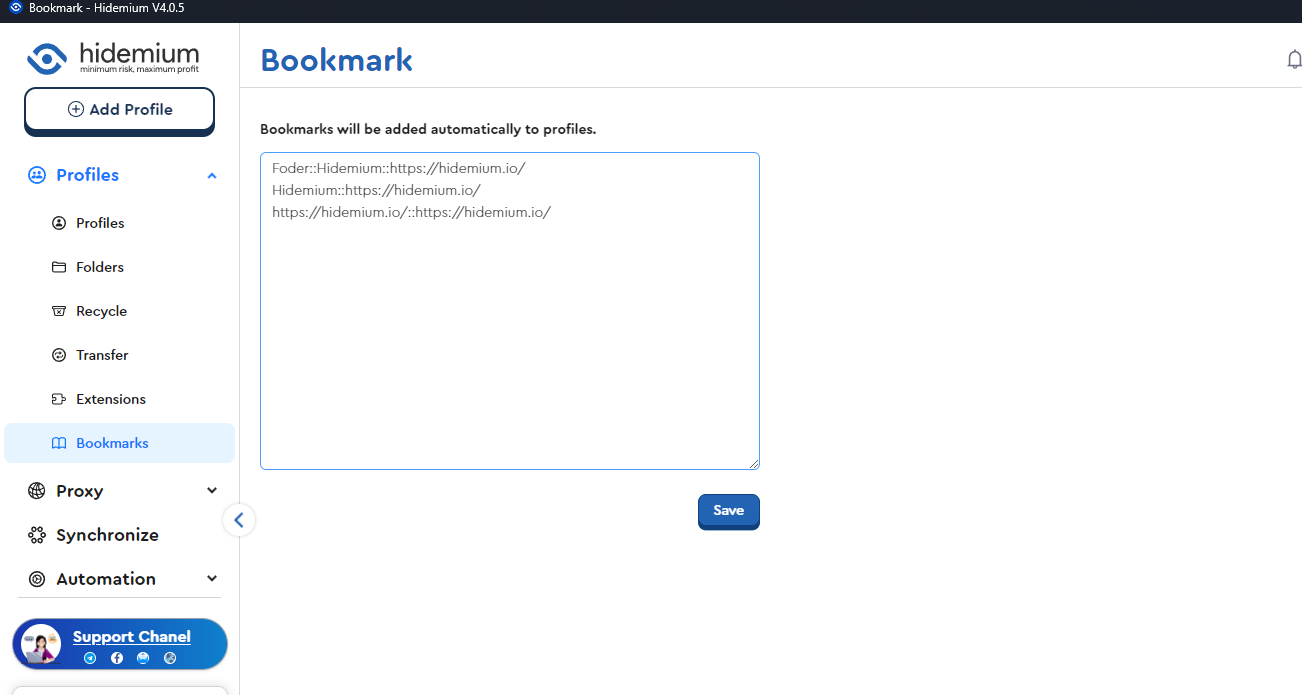
- Method 1: Folder Name::URL Name::URL Link
This method is useful when you want to categorize websites into specific folders. For example:
Folder::Hidemium::https://hidemium.io/
In this structure:
- Folder: The name of the folder used to organize the websites.
- Hidemium: The name of the website you wish to save.
- https://hidemium.io/: The website’s URL.
- Method 2: URL Name::URL Link
- This method does not use folders and only saves the website name and corresponding URL. For example:
Hidemium::https://hidemium.io/
- Method 3: URL Link
- If you don’t need to name or organize bookmarks into folders, you can simply save the URL. For example:
Bookmark Separator
When saving bookmarks, they are separated by :: for easy distinction.
Example
Here is a specific example of how to use a bookmark to save a webpage:
Folder::Hidemium::https://hidemium.io/
- Folder is the name you want to assign to the folder.
- Hidemium is the name you assign to the URL stored within that folder.
- https://hidemium.io/ is the URL link.
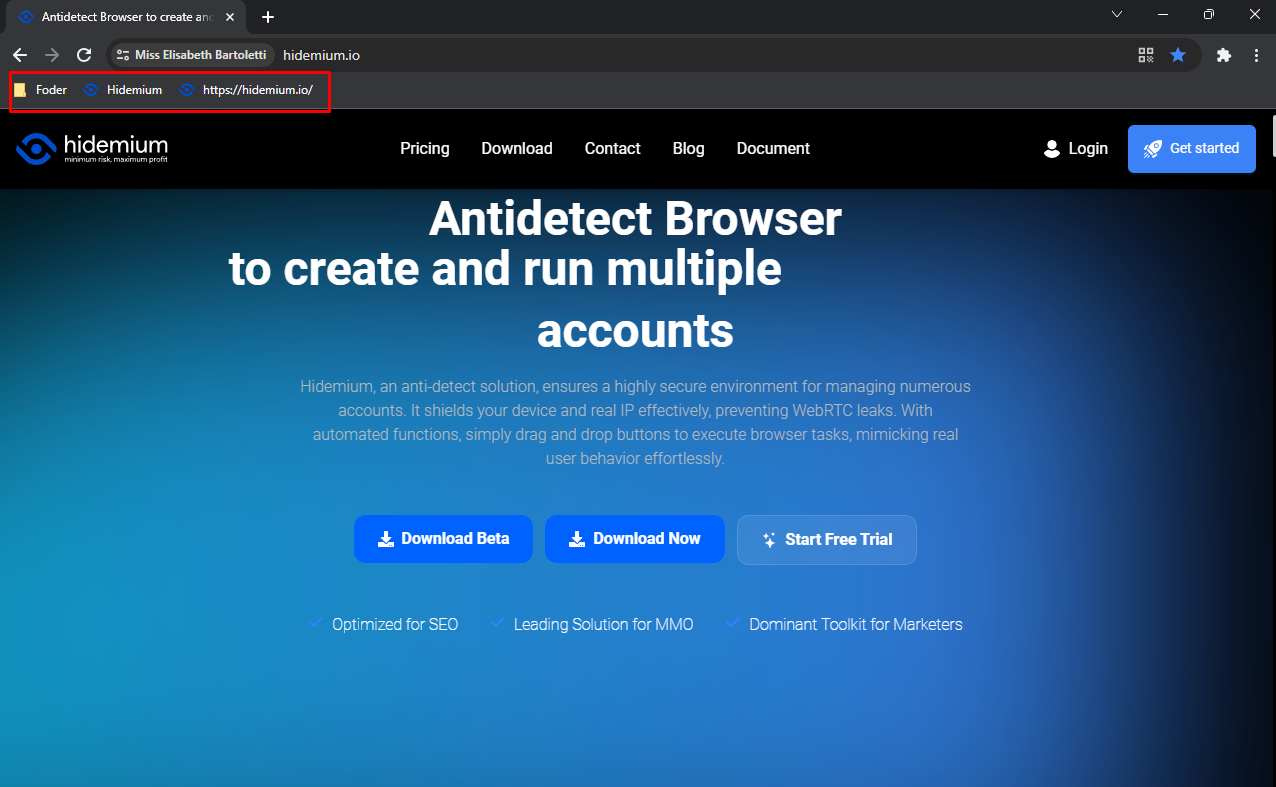
After saving and running Profiles, the bookmarks in Profiles will appear as follows:
Bookmarks are a fantastic tool that helps you save time and quickly access your favorite websites. By flexibly using different bookmark-saving methods, you can easily manage and organize information according to your personal needs. Don’t overlook this feature to boost your productivity while browsing the web!