Lesson 9: Transfer Profiles
In this article, we will explore the detailed process of transferring profiles in Hidemium, allowing you to easily manage and share profiles with others. Transfer Profiles is an essential feature that helps you quickly and securely send profiles to other accounts via email.
- How to Select Profiles for Transfer
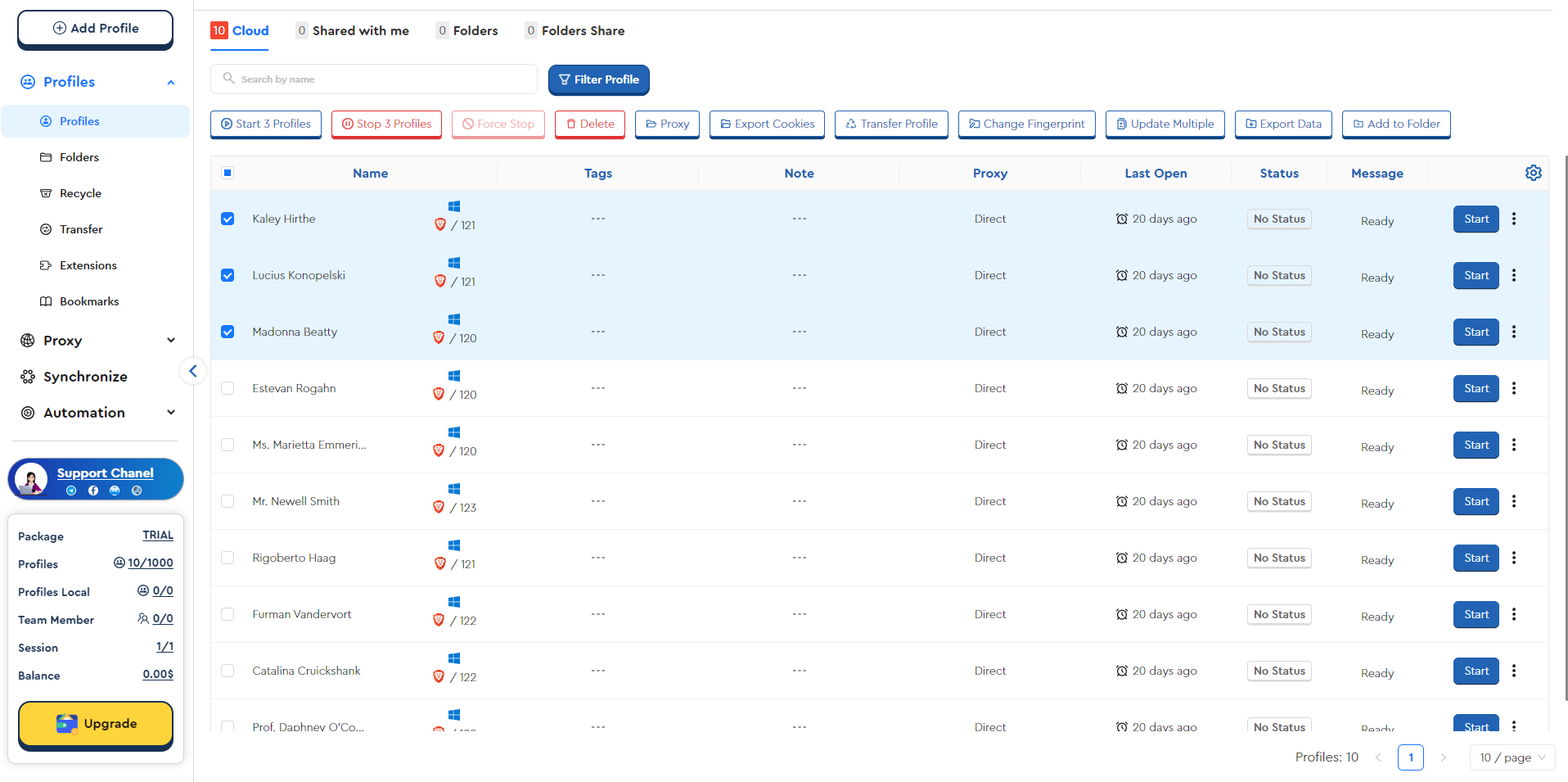
First, you need to access the Profiles screen and check the profiles that you want to transfer. Once you have selected the profiles to transfer, you just need to click the Transfer Profile button as shown.
- Send Profiles by Email
When you click the Transfer Profile button, the system will ask you to enter the recipient’s email address. After entering the email, click Send to complete the process of sending the profiles.
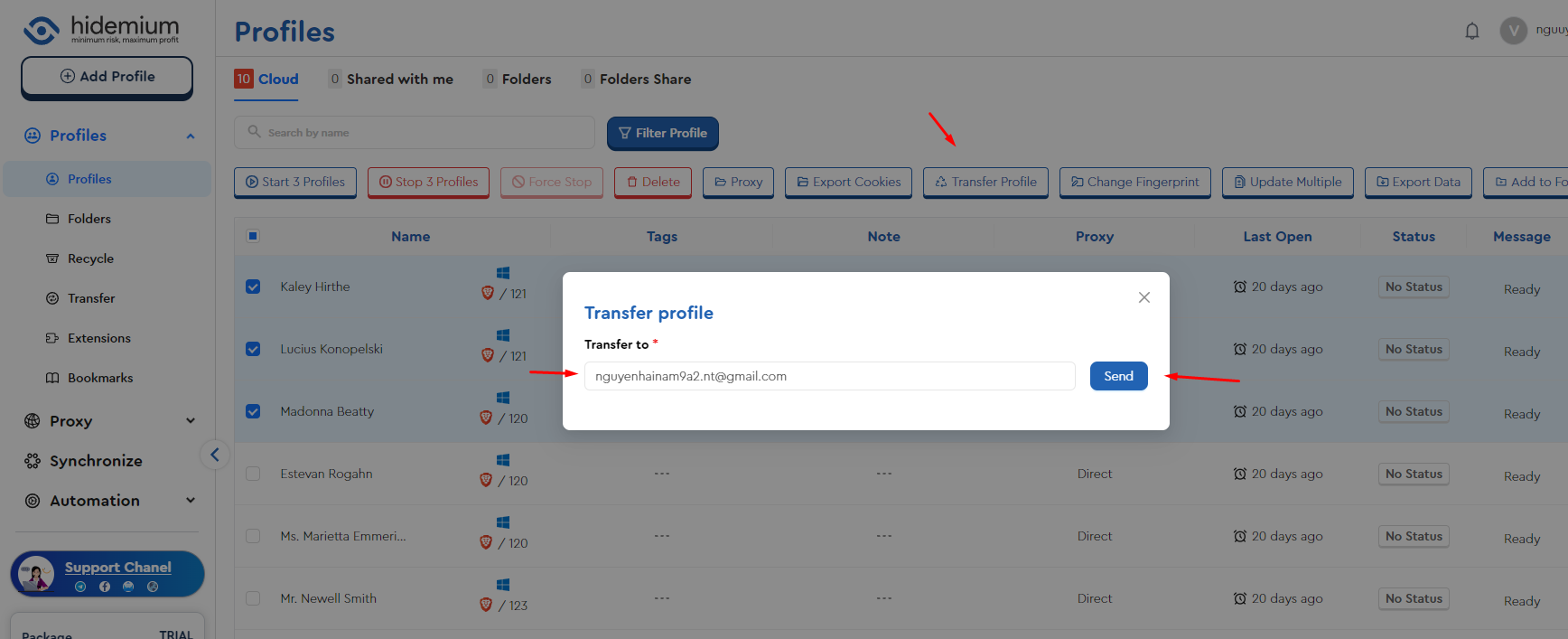
- Managing Transferred Profiles
After successfully sending the profiles, the system will create two folders within the Transfer section:
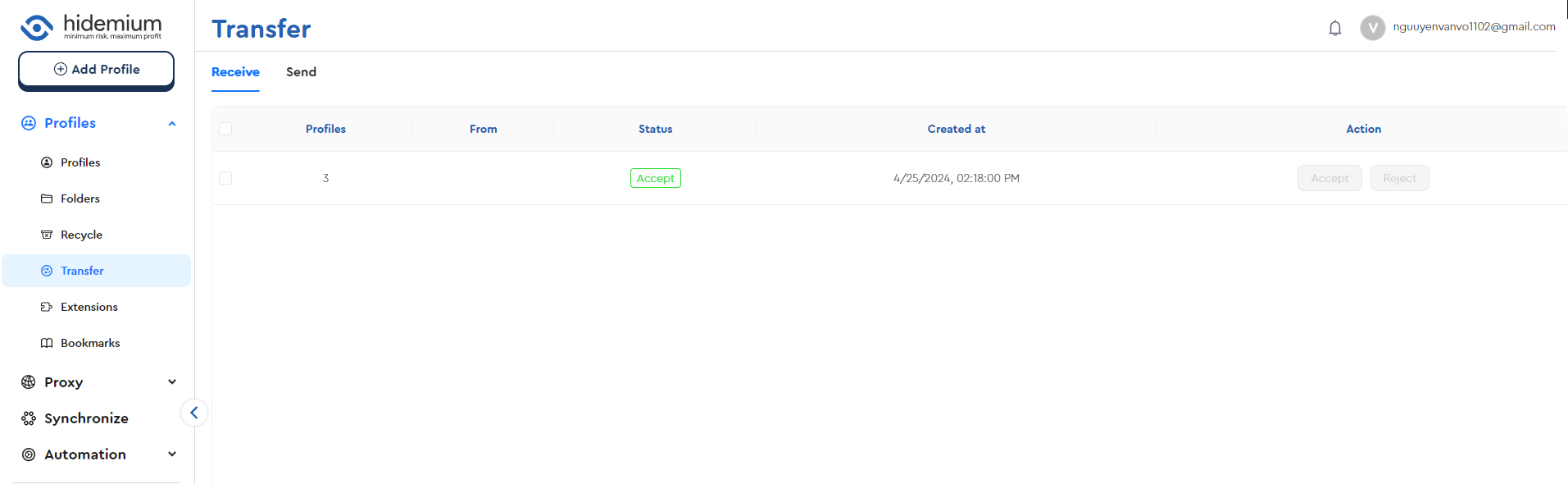
Receive: This folder contains profiles that have been sent to you by others. Here, you can Accept or Reject the profiles that others have sent.
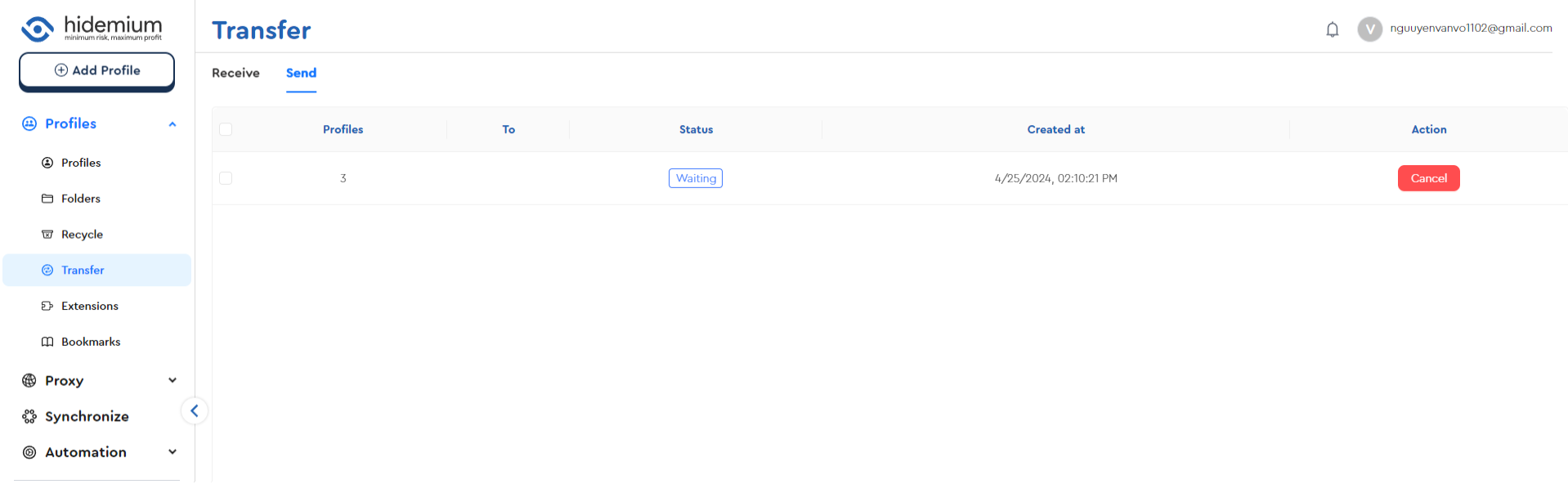
Send: This folder contains profiles that you have sent to others via email. If the recipient has not yet accepted your profiles, you can cancel the request by selecting Cancel.
Benefits of Using Transfer Profiles
Using the Transfer Profiles feature on Hidemium offers several benefits:
- Easy Profile Sharing: You can easily share profiles with colleagues or other accounts with a simple operation.
- Flexible Management: Easily manage and track sent or received profiles.
- High Security: Information is only transferred when the recipient accepts the profiles.
The Transfer Profiles feature on Hidemium is a powerful tool that helps you manage and share profiles quickly and securely. By following the steps above, you can easily send and receive profiles, thereby optimizing your workflow.